
Fundamentals
frac enables you to build ChatGPT Apps and MCP Apps - interactive UI views that render inside AI conversations. Before diving into frac’s APIs, understand the underlying protocols and runtimes it builds upon.
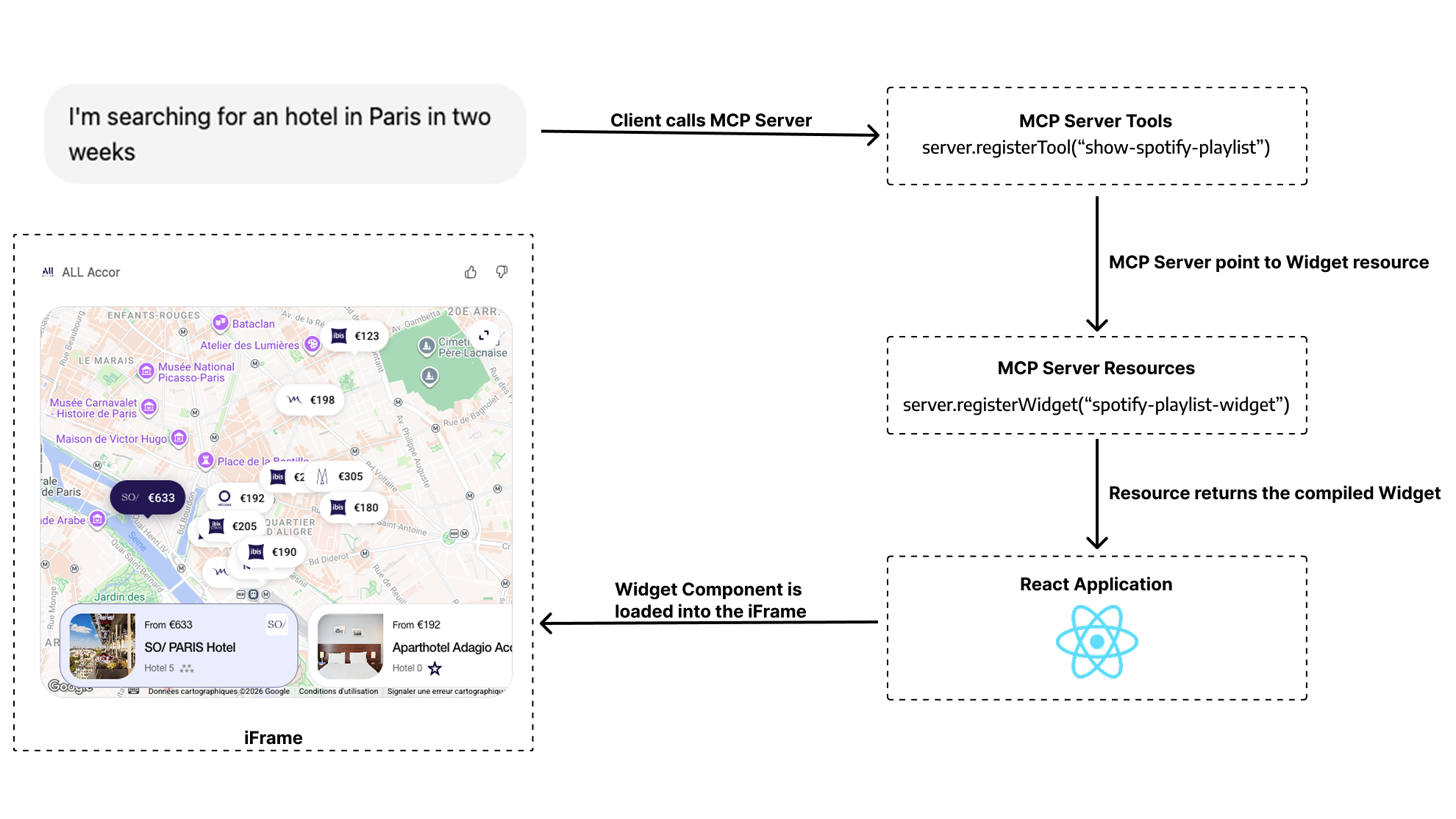
How views appear in MCP Apps Clients
Section titled “How views appear in MCP Apps Clients”In MCP Apps clients, the model triggers your tool, and the client then renders both the assistant response and your view from the tool result.
MCP (Model Context Protocol)
Section titled “MCP (Model Context Protocol)”MCP is an open standard that allows AI models to connect with external tools, resources, and services. Think of it as an API layer specifically designed for LLMs.
What is an MCP Client?
Section titled “What is an MCP Client?”An MCP Client is a frontend application that implements the MCP protocol, and that can consume MCP Servers. Major MCP Clients include:
- General-purpose AI apps: ChatGPT, Claude, Goose, etc
- IDEs: Cursor, VSCode, Amp, etc
- Coding agents: Claude Code, Codex CLI, Gemini CLI, etc
- Any other software that implements the MCP protocol
What is an MCP Server?
Section titled “What is an MCP Server?”An MCP server is a backend service that implements the MCP protocol. It exposes capabilities to MCP Clients through:
- Tools: Functions the model can call (e.g.,
search_flights,get_weather,book_hotel) - Resources: Data the model can access (e.g., files, database records, UI components)
When you ask an AI assistant a question, it can invoke tools on your MCP server to fetch data or perform actions on your behalf. The server handles your business logic, database queries, API calls, and any other backend operations.
MCP Apps and ChatGPT Apps: The Same Foundation
Section titled “MCP Apps and ChatGPT Apps: The Same Foundation”MCP Apps is the open UI extension for MCP. It defines the portable contract for interactive views in AI clients, including the ui/* bridge, tools/call, and _meta.ui.resourceUri.
ChatGPT Apps use that same MCP Apps contract in ChatGPT, and the OpenAI Apps SDK adds window.openai APIs for ChatGPT-specific capabilities.
To avoid repetition, we will now refer to both ChatGPT Apps and MCP Apps as AI Apps.
An AI App consists of two components working together:
- MCP Server: Your backend that handles business logic and exposes tools via the MCP protocol
- UI Views: HTML components that render in the AI Client’s interface as interactive UIs
When a tool is called, it can return both:
- Text content: What the model sees and responds with
- View content: A visual UI that renders for the user
This creates a dual-surface interaction model: users interact with both the conversational interface (the AI) and your custom UI (the view).
Runtime Environments
Section titled “Runtime Environments”Both ChatGPT Apps and MCP Apps use the same MCP server architecture and the same portable MCP Apps UI contract. The key practical difference is that ChatGPT additionally exposes window.openai extensions.
Think of it this way: your app logic and portable bridge stay the same, and ChatGPT can optionally provide extra capabilities.
frac supports the two main runtime environments for rendering views:
ChatGPT host runtime. Implements MCP Apps and adds optional window.openai APIs for ChatGPT-only features.
Open MCP Apps specification. JSON-RPC postMessage bridge that works across multiple AI clients.
frac abstracts away the differences between these runtime environments so you can write your views once and run them anywhere. Learn more in our Write Once, Run Everywhere guide.
Runtimes Comparison at a Glance
Section titled “Runtimes Comparison at a Glance”| Feature | Apps SDK (ChatGPT) | MCP Apps |
|---|---|---|
| Protocol | MCP Apps bridge + optional window.openai extensions | Open MCP Apps (ext-apps) spec |
| Client Support | ChatGPT only | Goose, VSCode, Postman, … |
| Documentation | Apps SDK Docs and MCP Apps compatibility in ChatGPT | ext-apps specs |